Btw: Vals can send email, too! See
std/email
Email triggers provide a unique email address for your val, like
acme-support@valtown.email. When Val Town receives an email at that address,
it triggers the corresponding file within your val, passing the email's subject,
body, attachments, and more data. You could use email triggers to:
- Automatically forward email
- Post support email to Slack or Discord
- Have an LLM draft a reply
Adding an email trigger
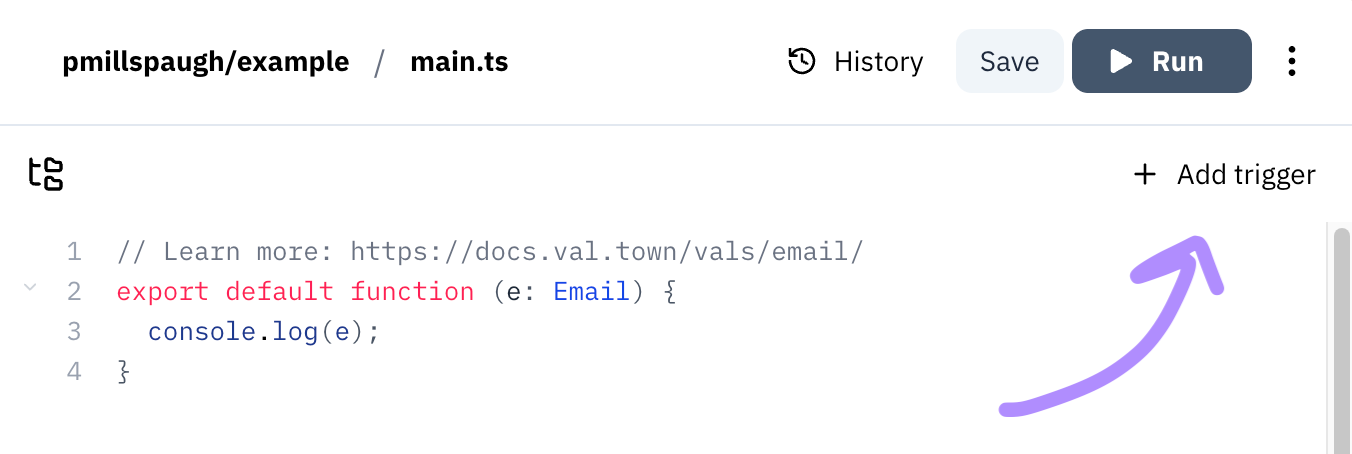
To add an email trigger, click the + Add trigger button in the top right of
your val editor and select EMAIL. You can also add or remove email triggers
from the triple dots menu next to the Run button, or via our
MCP server.
Setting a custom email address
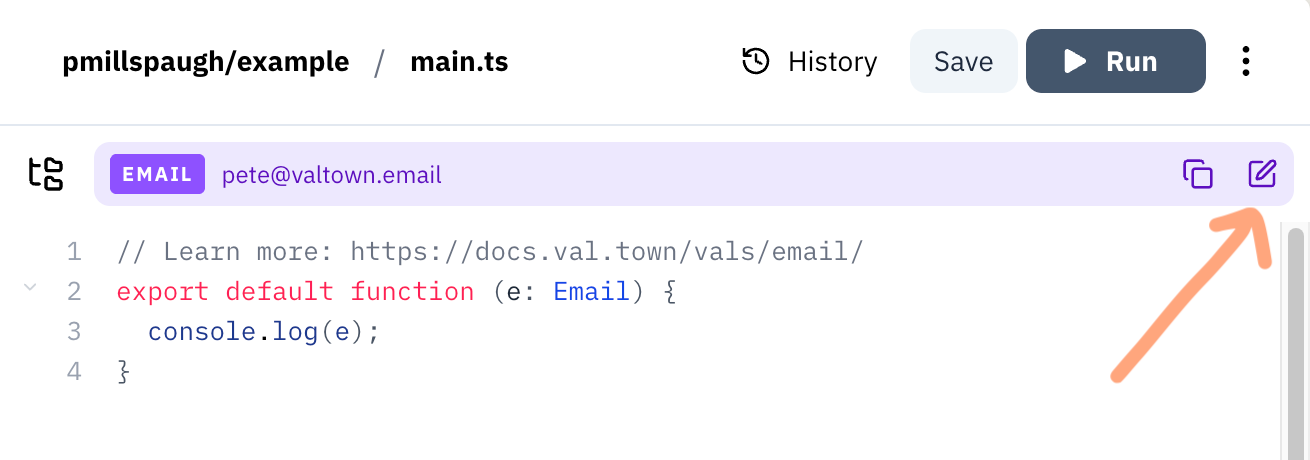
Similar to HTTP trigger custom subdomains, you
can set a custom email address by clicking on the pencil icon in the top right
of your editor. You can choose any available email address ending in
@valtown.email that has not been reserved or taken by another user.
Email function signature
Files triggered by Email receive an argument called Email that represents the
email that was sent. Here's an example:
export async function emailValHandler(email: Email) {
  console.log("Email received!", email.from, email.subject, email.text);
  for (const file of email.attachments) {
    console.log(`Filename: ${file.name}`);
    console.log(`Content Type: ${file.type}`);
    console.log(`Content: ${await file.text()}`);
  }
}
The Email type has this shape:
interface Email {
  from: string;
  to: string[];
  cc: string | string[] | undefined;
  bcc: string | string[] | undefined;
  subject: string | undefined;
  text: string | undefined;
  html: string | undefined;
  attachments: File[];
  headers: Record<string, string>;
}
Example
This email trigger forwards any email it receives. Try it out by sending an
email to stevekrouse.forwarder@valtown.email.
Limitations
The total size of inbound emails, including attachments, must be less than 30MB.
Email triggers are powered internally by Sendgrid Inbound Parse.
Last updated