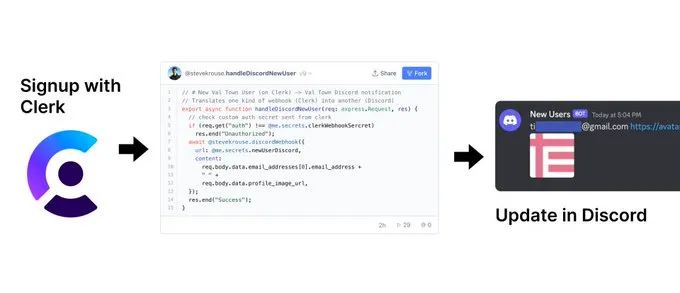
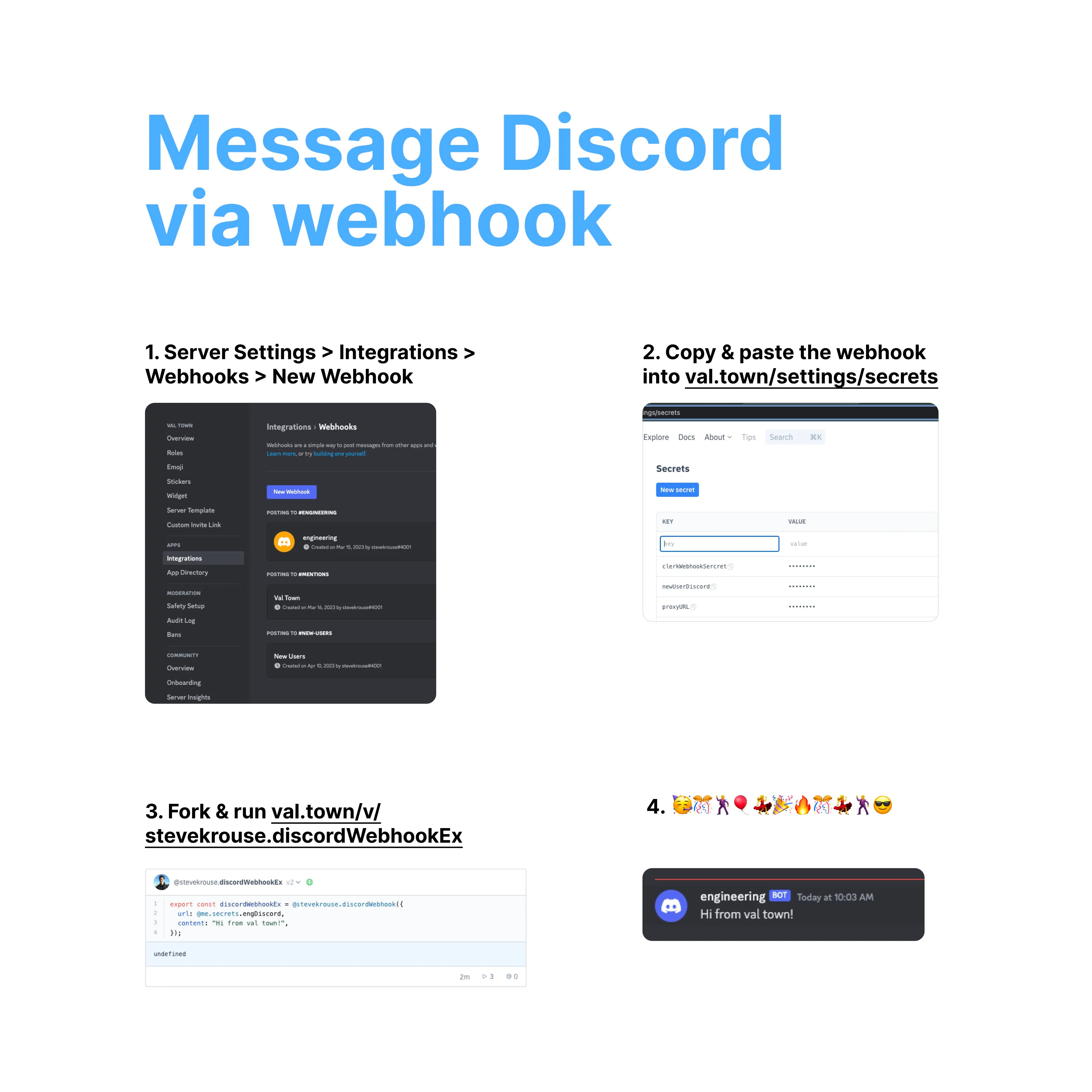
- Create a Discord webhook
- Add the webhook to your Val Town environment variables
- Use
@stevekrouse.discordWebhookto send the message
import { fetchText } from "https://esm.town/v/stevekrouse/fetchText?v=5"; // pin to proxied fetch
export const discordWebhook = async ({  url,  content,}: {  url: string;  content: string;}) => {  const text = await fetchText(url, {    method: "POST",    headers: {      "Content-Type": "application/json",    },    body: JSON.stringify({ content }),  });  if (text.length) throw Error("Discord Webhook error: " + text);};
You can browse example usages of this function here.
Example Integration
Section titled “Example Integration”