

Time to complete: 10 minutes
This guide walks you through building a Slack bot that responds to mentions in channels.
If you just want to send simple Slack messages without interactivity, check out our Slack webhook guide. And if you want an AI agent Slack bot, see our Slack agent guide.
Step 1: Remix the bot template
Section titled “Step 1: Remix the bot template”- Remix this val to get started:
- Copy the HTTP endpoint URL (via the … menu for
main.tsx) - this is where Slack will send events to your Val Town bot.
Step 2: Create a Slack app
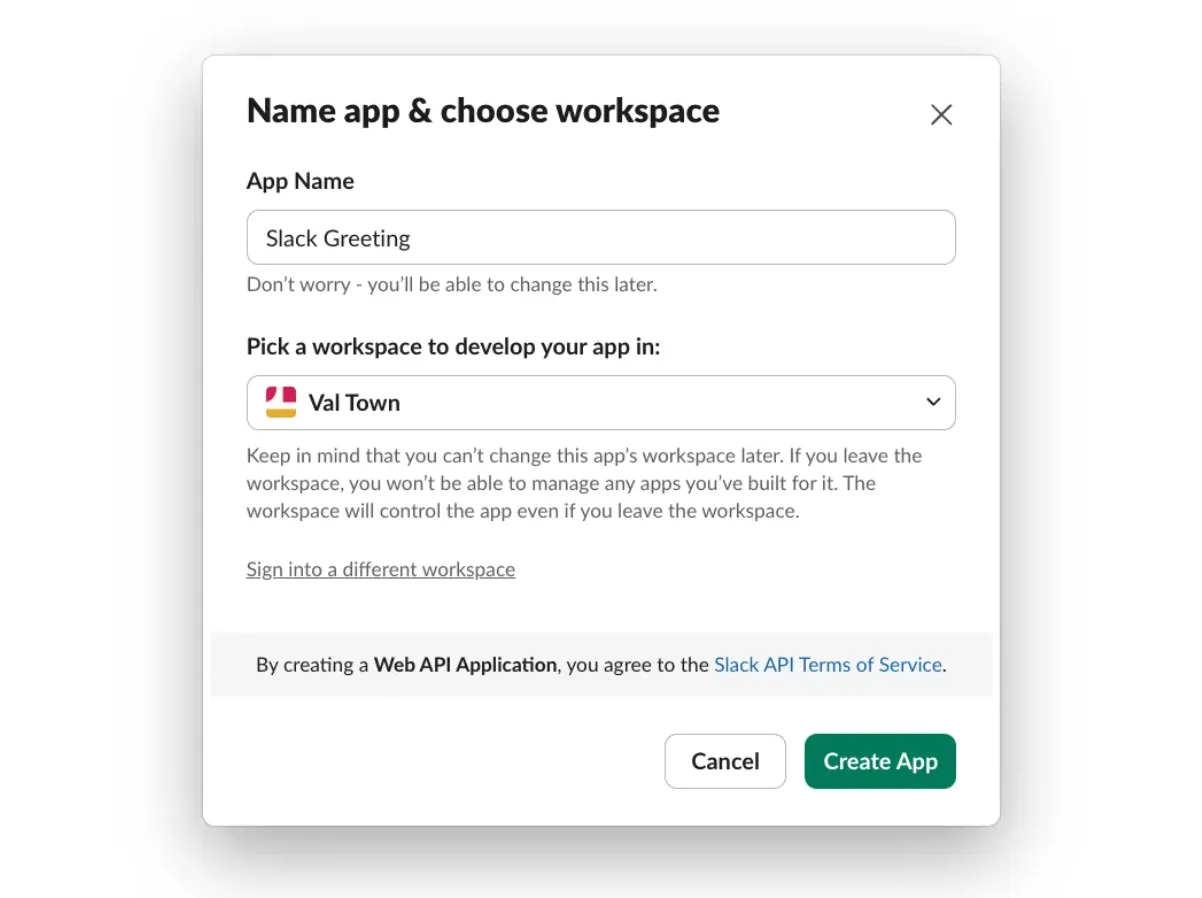
Section titled “Step 2: Create a Slack app”- Go to Slack API and create a new app From Scratch
- Name your app and select your workspace
Step 3: Add environment variables
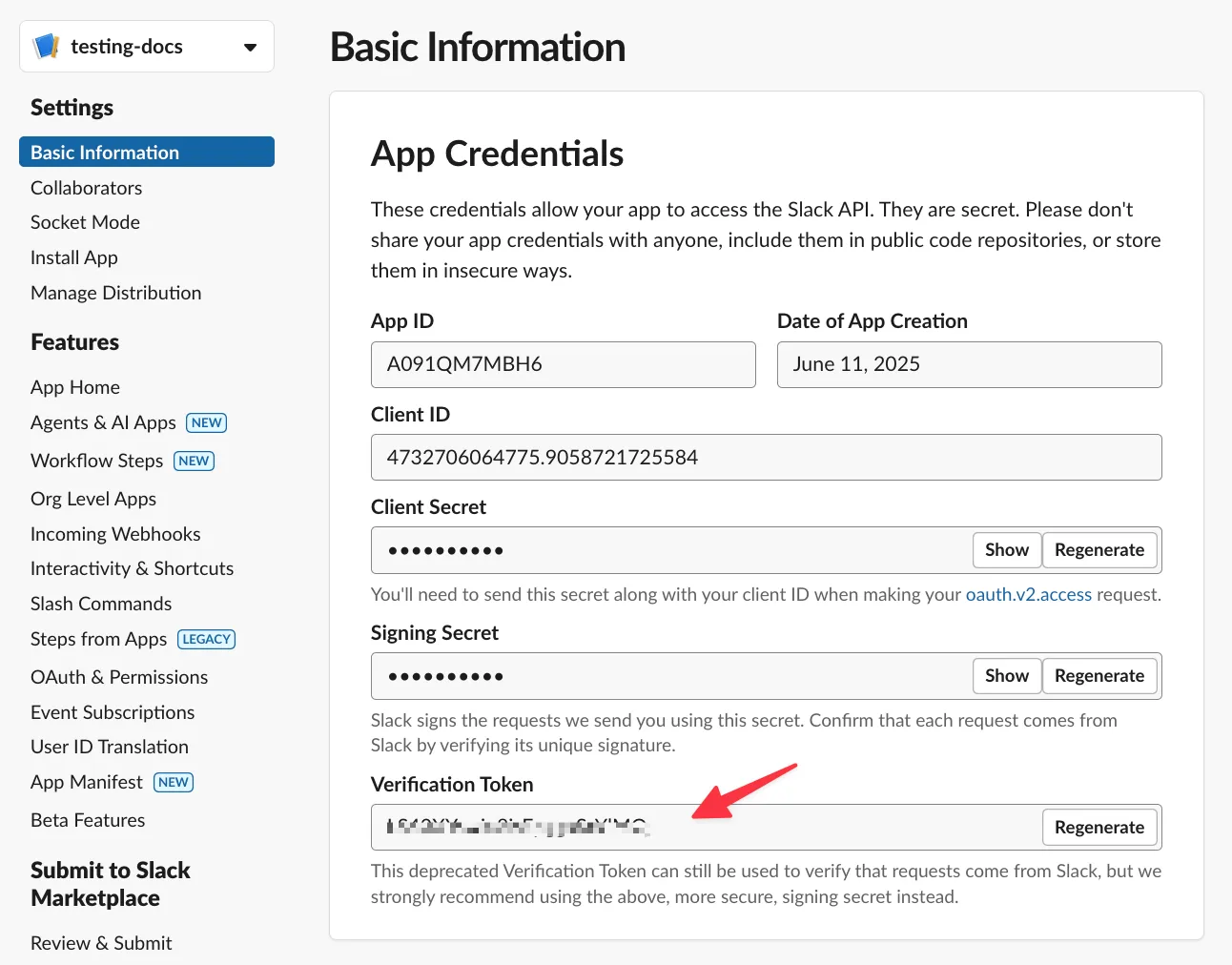
Section titled “Step 3: Add environment variables”In your val’s sidebar, add these Environment Variables:
- slackVerificationToken: From Settings → Basic Information → Verification Token
- slackToken: Leave empty (you’ll fill this after installing)
Step 4: Set up events
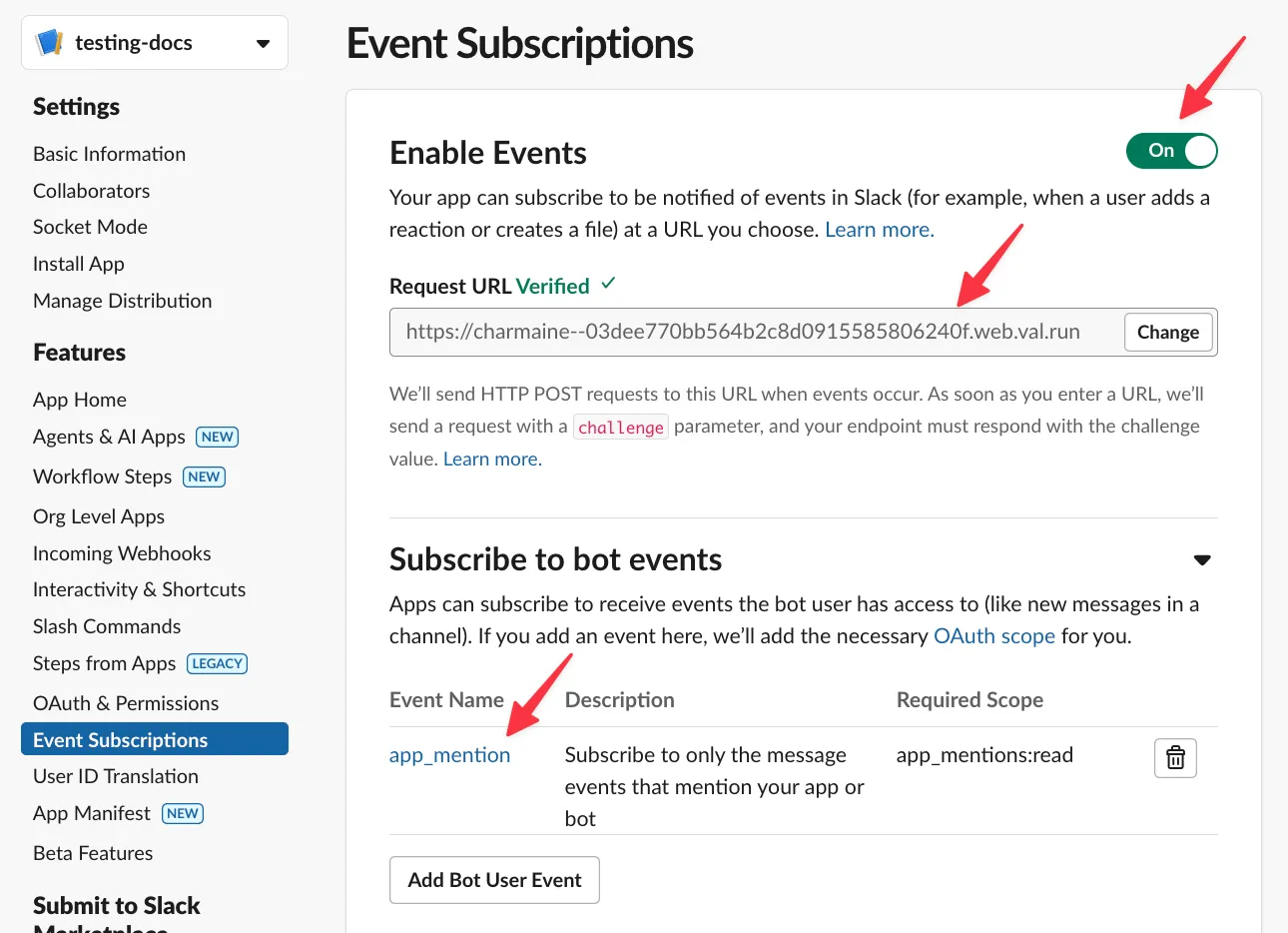
Section titled “Step 4: Set up events”- Go to Features → Event Subscriptions
- Enable events and paste your val’s HTTP endpoint in Request URL
- Subscribe to app_mention under Subscribe to bot events
Step 5: Set bot permissions
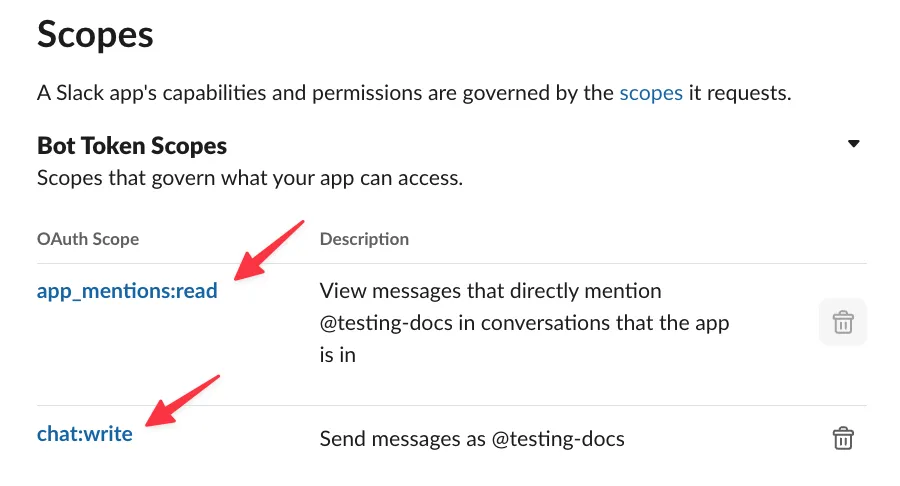
Section titled “Step 5: Set bot permissions”In OAuth & Permissions → Scopes, add:
app_mentions:read(should already be there)chat:write
Step 6: Install your app
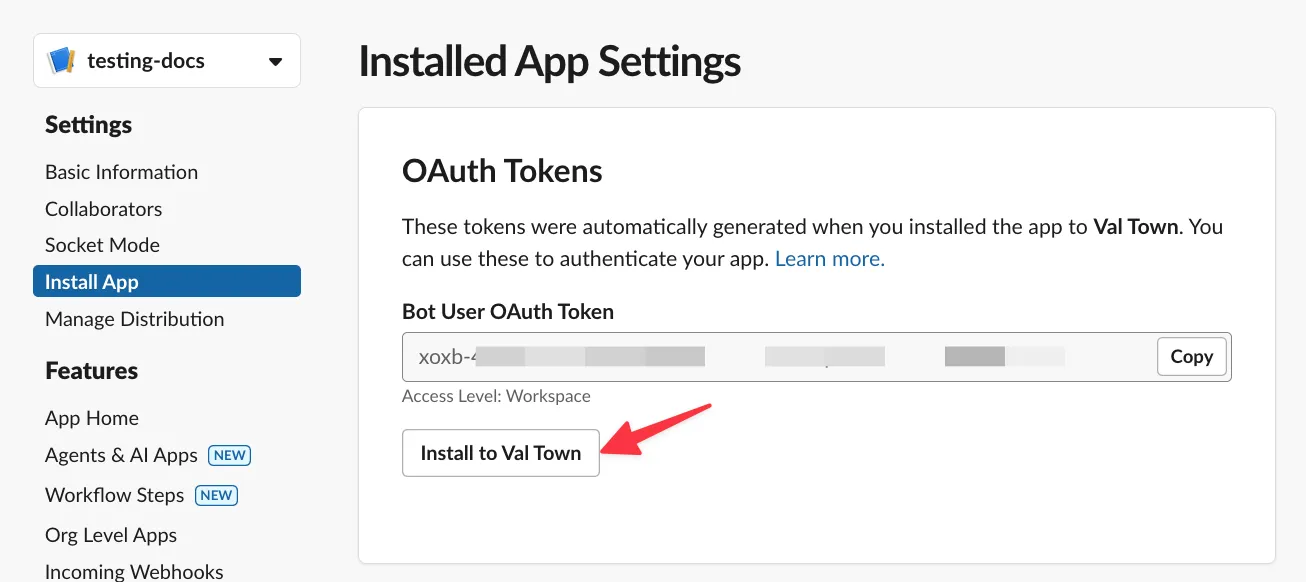
Section titled “Step 6: Install your app”Go to Settings → Install App and install to your workspace.
Step 7: Add OAuth token
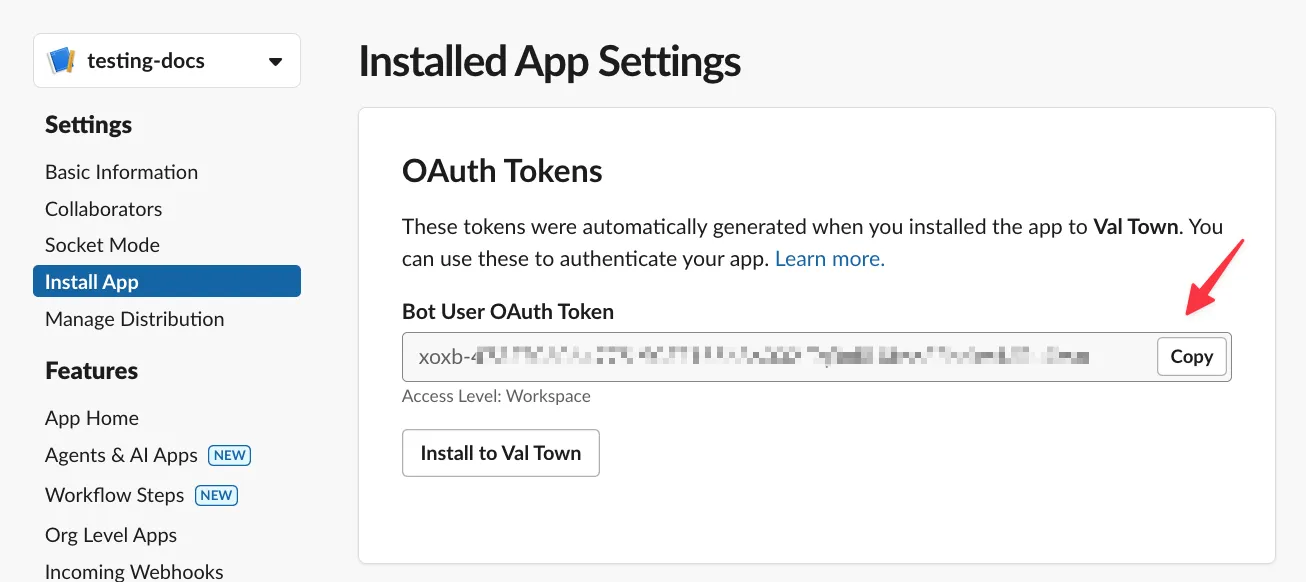
Section titled “Step 7: Add OAuth token”- Copy the Bot User OAuth Token from OAuth & Permissions
- Update your val’s slackToken environment variable
Step 8: Test your bot
Section titled “Step 8: Test your bot”- Invite the bot to a channel
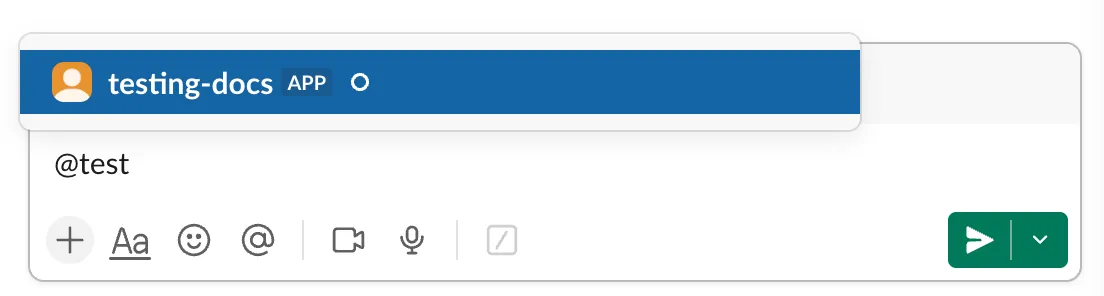
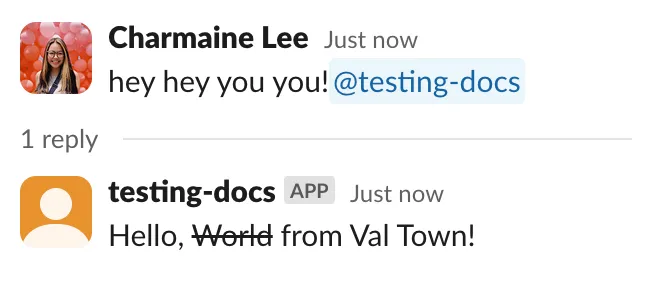
- Mention the bot - it will reply!
What’s next?
Section titled “What’s next?”You can find more Slack examples on our Templates page.