

Work with Val Town in Cursor using our MCP server or CLI. You can ask Cursor to:
- List or examine your vals and read your sqlite data, logs, and almost any of your Val Town data
- Edit your vals and even agentically iterate, viewing the output and logs until it’s done
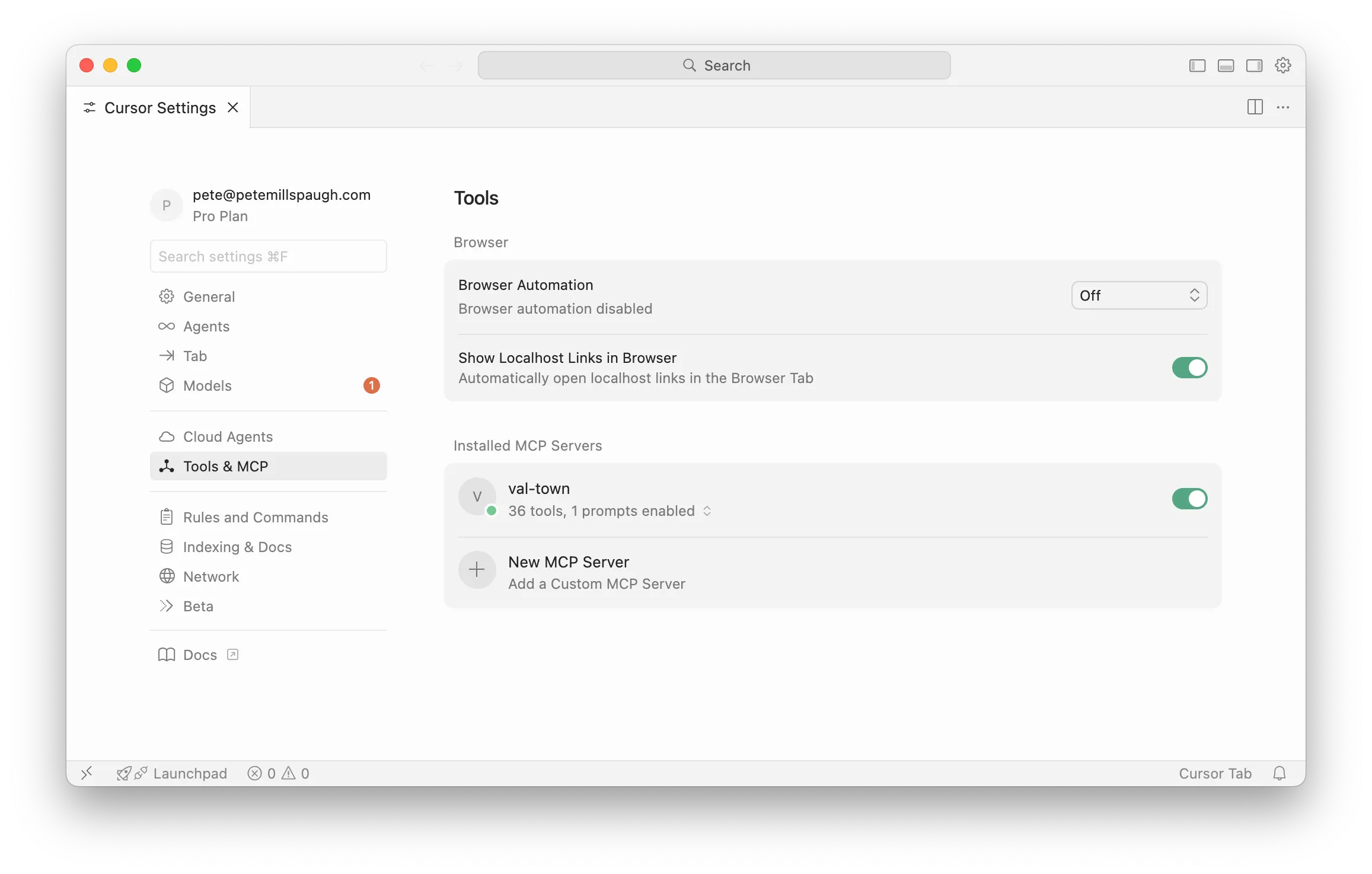
- Go to Cursor Settings > Tools & MCP > New MCP Server (or “Add Custom MCP”)
- Create an API token in the Val Town console
- Add the following to
mcp.json, replacingAPI_TOKEN_HERE:{"mcpServers": {"val-town": {"url": "https://api.val.town/v3/mcp","headers": {"Authorization": "Bearer API_TOKEN_HERE"}}}}
You can edit vals locally with Cursor and the Val Town CLI. The recommended workflow uses vt watch, which will automatically sync your changes to Val Town as you save files.
- Open Cursor
- Install the Val Town CLI
deno install -grAf jsr:@valtown/vtvt create,vt remix, orvt clonea val. Select “Yes” to add editor files*cdinto your val’s directoryvt checkout -b <branch>to isolate changes (optional)vt watchto sync with Val Town
* Running vt create|remix|clone will prompt you to add editor files, including AGENTS.md with our system prompt, which Cursor should recognize.