

When there are many results, GitHub
paginates
the data. You can use the per_page parameter to loop over the data. Here’s a
practical example: getting the total stars across a user’s repositories.
Here’s a Val that returns the star count for a username.
import { fetchJSON } from "https://esm.town/v/stevekrouse/fetchJSON?v=41";
export const getGithubStars = async (username: string) => {  const user = await fetchJSON(    `https://api.github.com/users/${username}`,  );  let totalStars = 0;  // Paginate the max number of pages per request  let pages = Math.ceil(user.public_repos / 100);  while (pages--) {    for (      const repo of await fetchJSON(        `https://api.github.com/users/${username}/repos?per_page=100&page=${          pages + 1        }`,      )    ) {      totalStars += repo.stargazers_count;    }  }  return totalStars;};
Call it to get the result:
import { getGithubStars } from "https://esm.town/v/vtdocs/getGithubStars";
console.log(await getGithubStars("stevekrouse"));
Email yourself when you get a comment reaction!
Section titled “Email yourself when you get a comment reaction!”Create a GitHub personal access token: https://github.com/settings/personal-access-tokens/new. Give it permissions to the repositories that you’re interested in getting comment reaction notifications for.
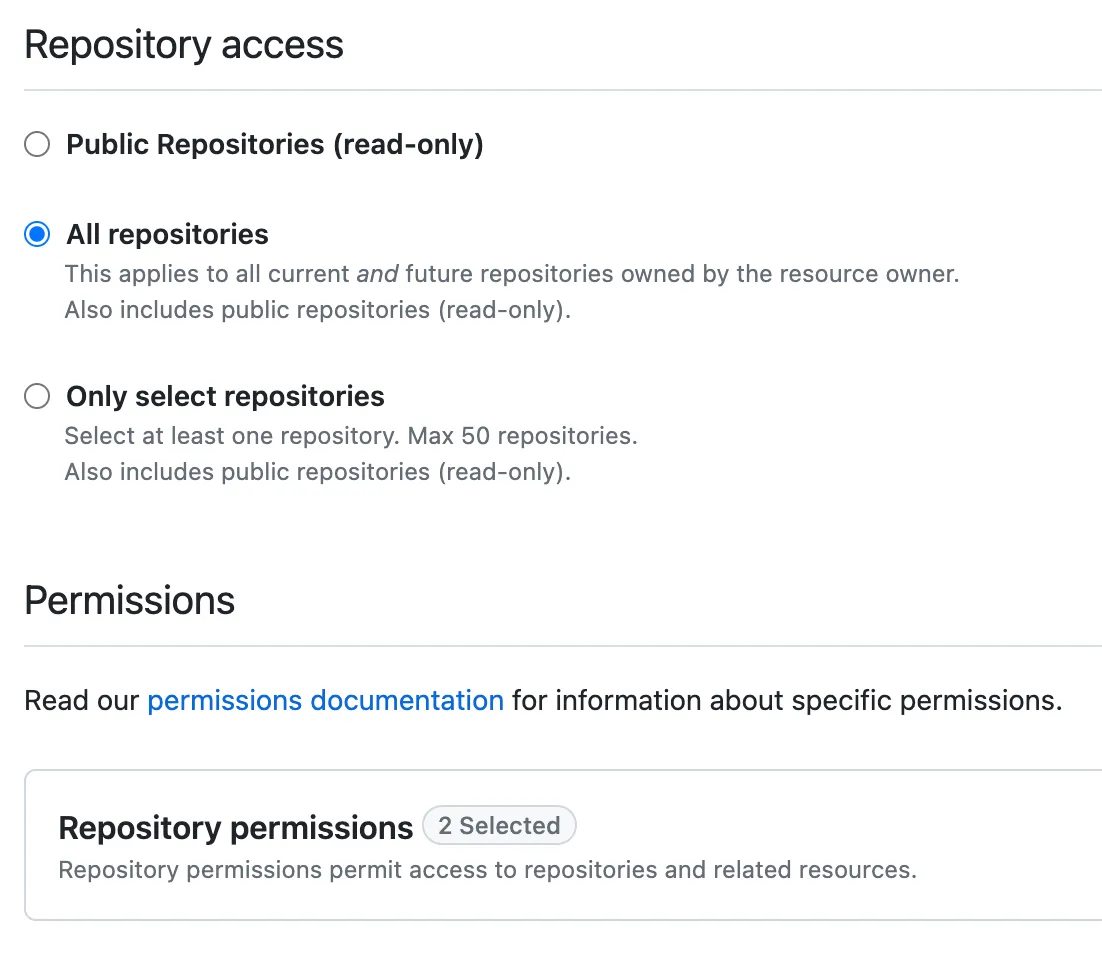
Allow Read-only access for issues to find your recent issue comments (pull requests are issues).

Go to:
https://www.val.town/settings/environment-variables
and save the token as githubPatToken.
Run this Val, change username to your GitHub username, and schedule it to run
every fifteen minutes.
import { email } from "https://esm.town/v/std/email?v=9";import { msMinute } from "https://esm.town/v/stevekrouse/msMinute?v=1";import { msAgo } from "https://esm.town/v/rodrigotello/msAgo?v=2";import { githubPatToken } from "https://esm.town/v/vtdocs/githubPatToken";import { fetchJSON } from "https://esm.town/v/stevekrouse/fetchJSON?v=41";
export const emailGithubReactions = async () => {  const username = "stevekrouse";  const events = await fetchJSON(    `https://api.github.com/users/${username}/events?per_page=100`,    {      headers: {        Authorization: `Bearer ${githubPatToken}`,      },    },  );  const comments = events.filter((event) =>    event.type === "IssueCommentEvent" && event.payload.action === "created"  );  const recentReactions = [];  for (const comment of comments) {    for (      const reaction of await fetchJSON(        comment.payload.comment.reactions.url,      )    ) {      if (msAgo(15 * msMinute)) {        recentReactions.push(          `${reaction.user.login} reacted with ${reaction.content} to ${comment.payload.comment.html_url}`,        );      }    }  }  if (recentReactions.length > 0) {    await email({      text: recentReactions.join("\n"),      subject: "new github reactions!",    });  }};
When this Val runs, it gets the last 100 events for an authenticated user. It makes additional requests to get the reactions for any recent events that are comments.
If the reaction was created in the last fifteen minutes, then it’s a new comment!
You’ll receive a batch of reactions and comment links only for new reactions.