

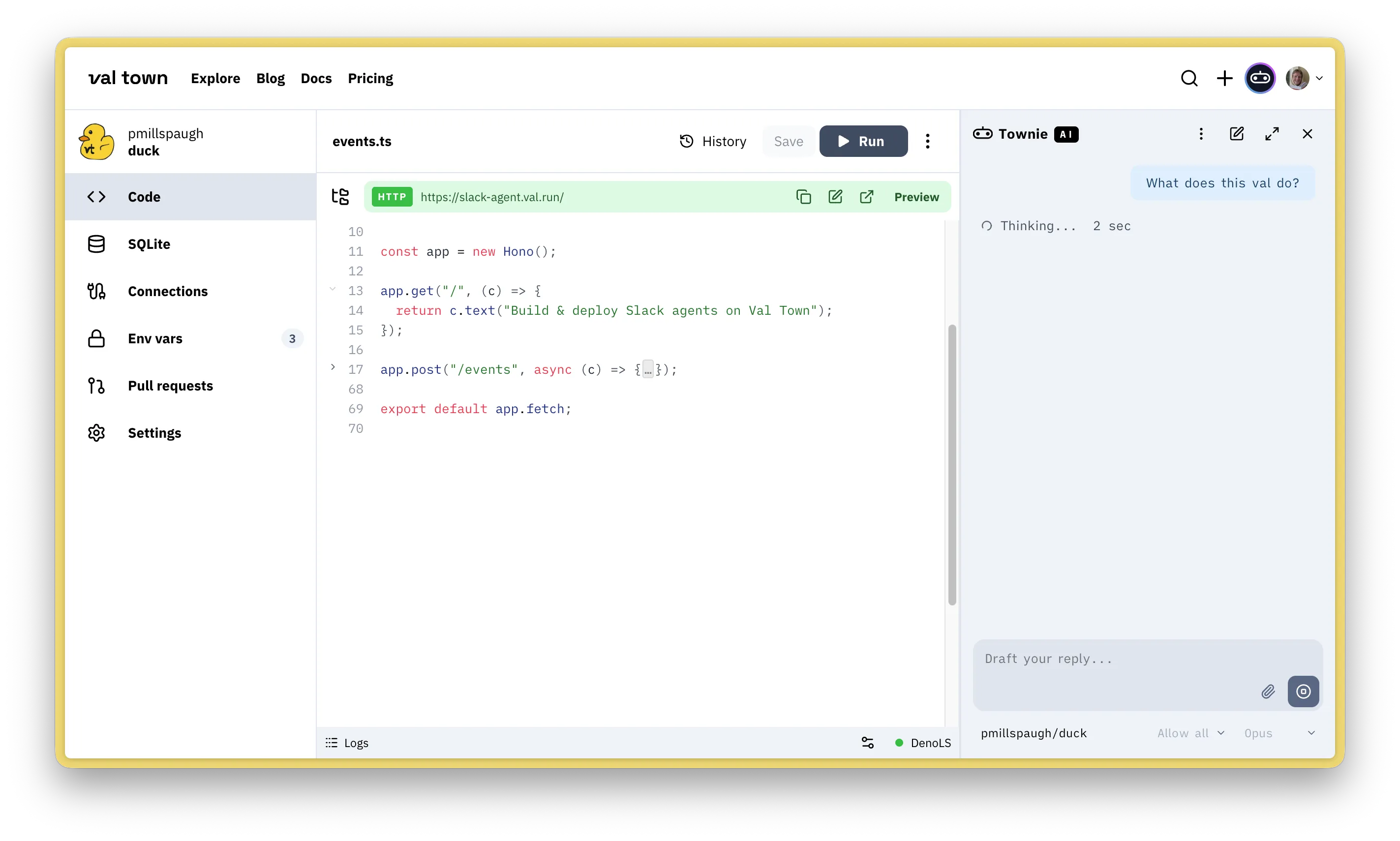
Townie is Val Town’s in-browser coding agent. Pretty much anything you can do in the Val Town UI, Townie can do: read, write, and run code; read SQLite, blob storage, logs, and environment variables; schedule crons; view version history, create branches; and more.
Powered by the Claude family and the Val Town MCP server. Available on Pro and Teams plans. Click the little robot in the top right corner on val.town to get started.
Features
Section titled “Features”Models
Section titled “Models”We’re using the following Anthropic models.
- Opus 4.8
- Sonnet 4.6
- Haiku 4.5
- Normal: Townie asks you to approve before writes
- Plan: Townie as your read-only thinking partner
- Allow all edits: Townie YOLOs changes to your vals
Townie has full access to our MCP server, so it can do almost anything you as a user can do.
- List, search, & create vals
- Read, write, & run files
- Fetch a val’s HTTP endpoint
- View history, create & switch branches, revert versions
- Query your SQLite databases & Blob storage
- Read & write environment variables
- Read logs
- Read logs (e.g. to debug)
- Read & configure cron jobs
- Remix vals
- List orgs
- …
System prompt
Section titled “System prompt”Our system prompt is public. It provides Townie full context on how to use the Val Town platform—e.g. available tools, the Val Town runtime, our standard library, different types of vals, etc.
Context
Section titled “Context”Townie automatically attaches the val you’re currently viewing as context. You can manually edit what vals are in context by selecting that menu in the chat bar.
Keyboard shortcuts & slash commands
Section titled “Keyboard shortcuts & slash commands”You can open Townie with ⌘J. The following slash commands are available:
/costShow estimated cost and usage/contextShow context window usage/compactSummarize older messages to save context/clearStart a new chat
History & version control
Section titled “History & version control”You can view your Townie chat history in settings to read and continue old chats.
As when coding without AI, you can use Val Town’s versioning and collaboration tools like branching, remixing, PRs, and version history to safely work with Townie.
Pricing
Section titled “Pricing”Townie is available on Val Town Teams and Pro plans with $100 and $10 monthly usage included, respectively.
| 🟩 Teams | 🟨 Pro | 🟥 Free |
|---|---|---|
| $100/mo cap | $10/mo cap | Not available |
Learn more
Section titled “Learn more”Townie has been through many iterations, which we wrote about on our blog. We also documented learnings from prior versions in: What we learned copying all the best code assistants